Less lag. Smoother frames. Zero drag.
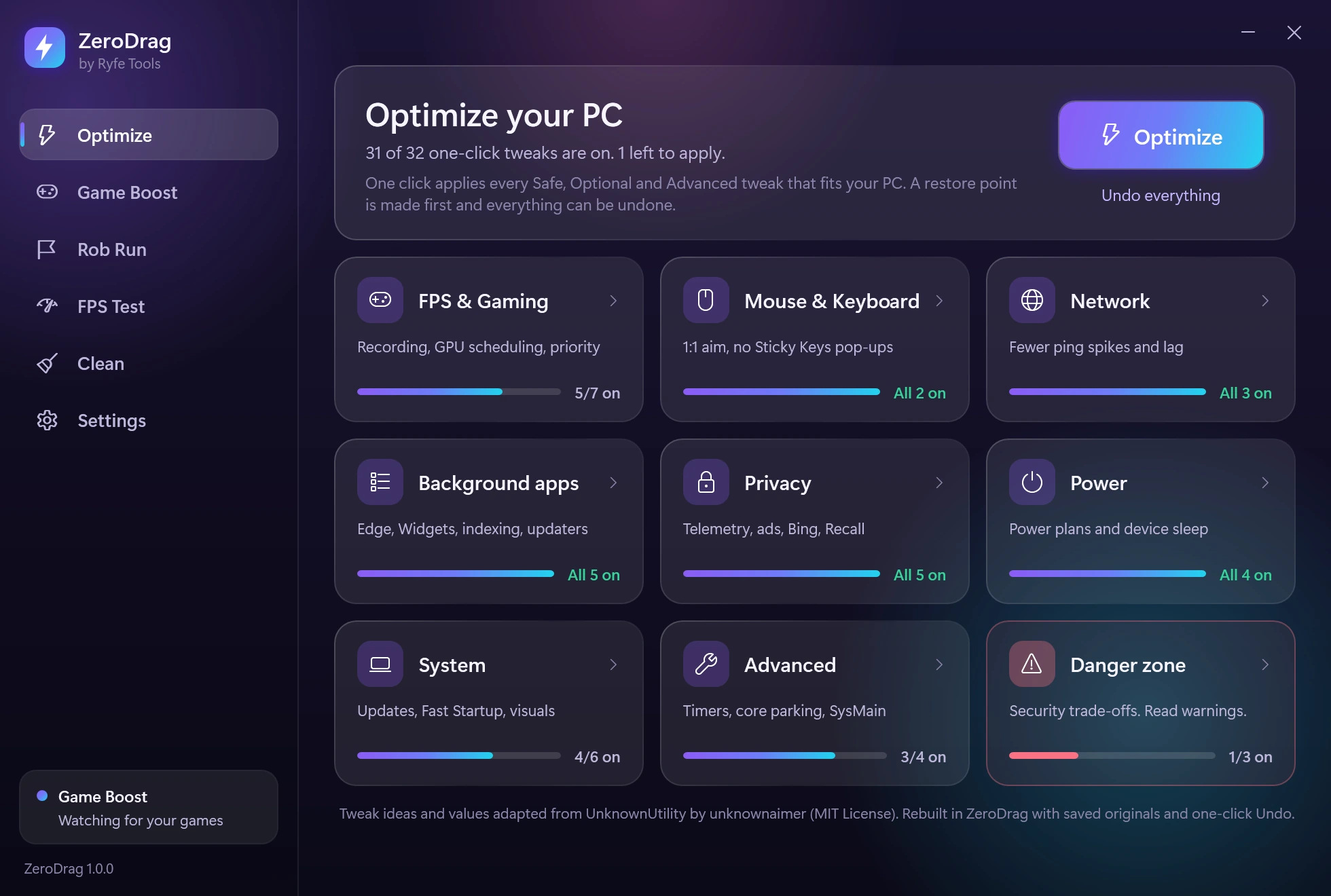
ZeroDrag is the app with Potato mode: one click turns Rob Run's textures flat for zero clutter. It's also a one-click Windows optimizer: 39 proven tweaks with Undo, a Game Boost that switches on when you play, Rob Run stretched res and Ryfe's settings, and a real FPS test so you can see the difference.
Flat textures. Zero clutter. More FPS.
Rocks, walls, sand and plants lose their texture detail, so Rob Run turns into clean flat colours and players stand out.
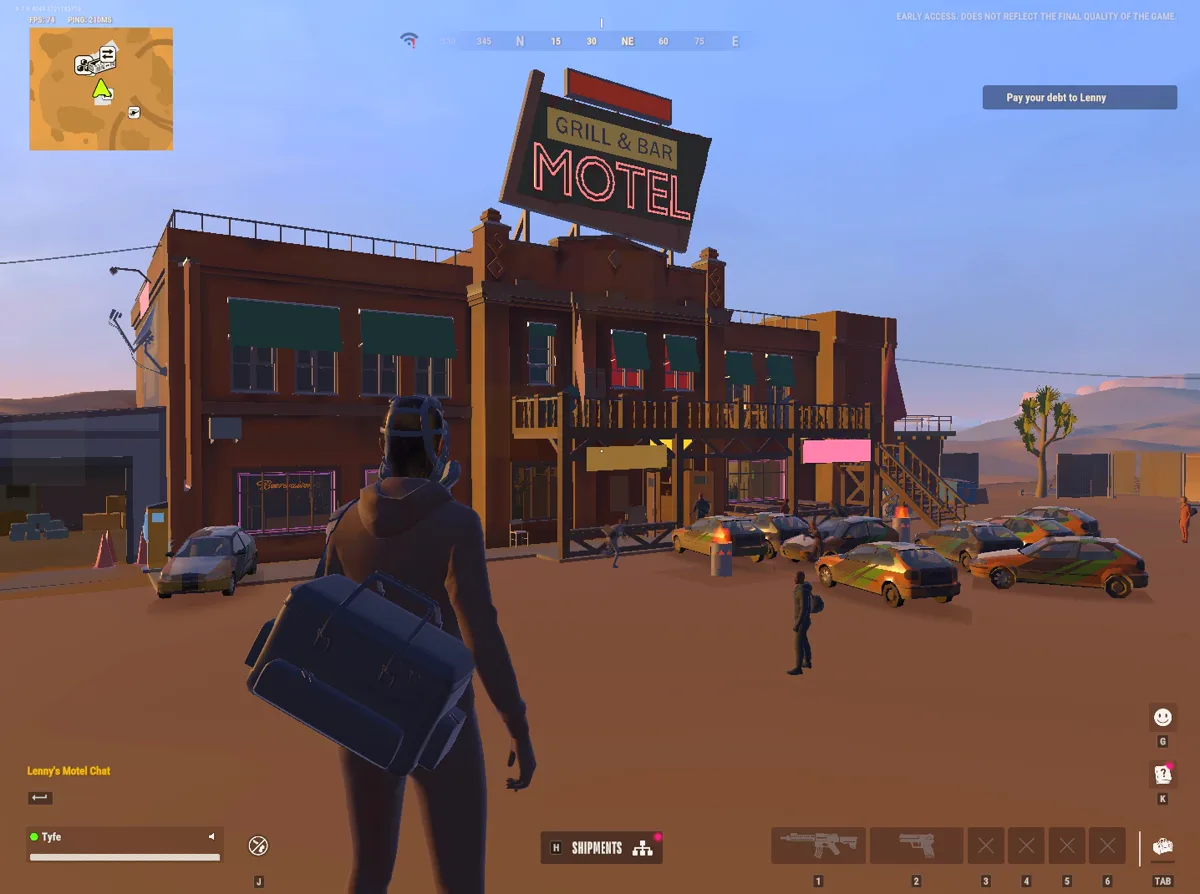
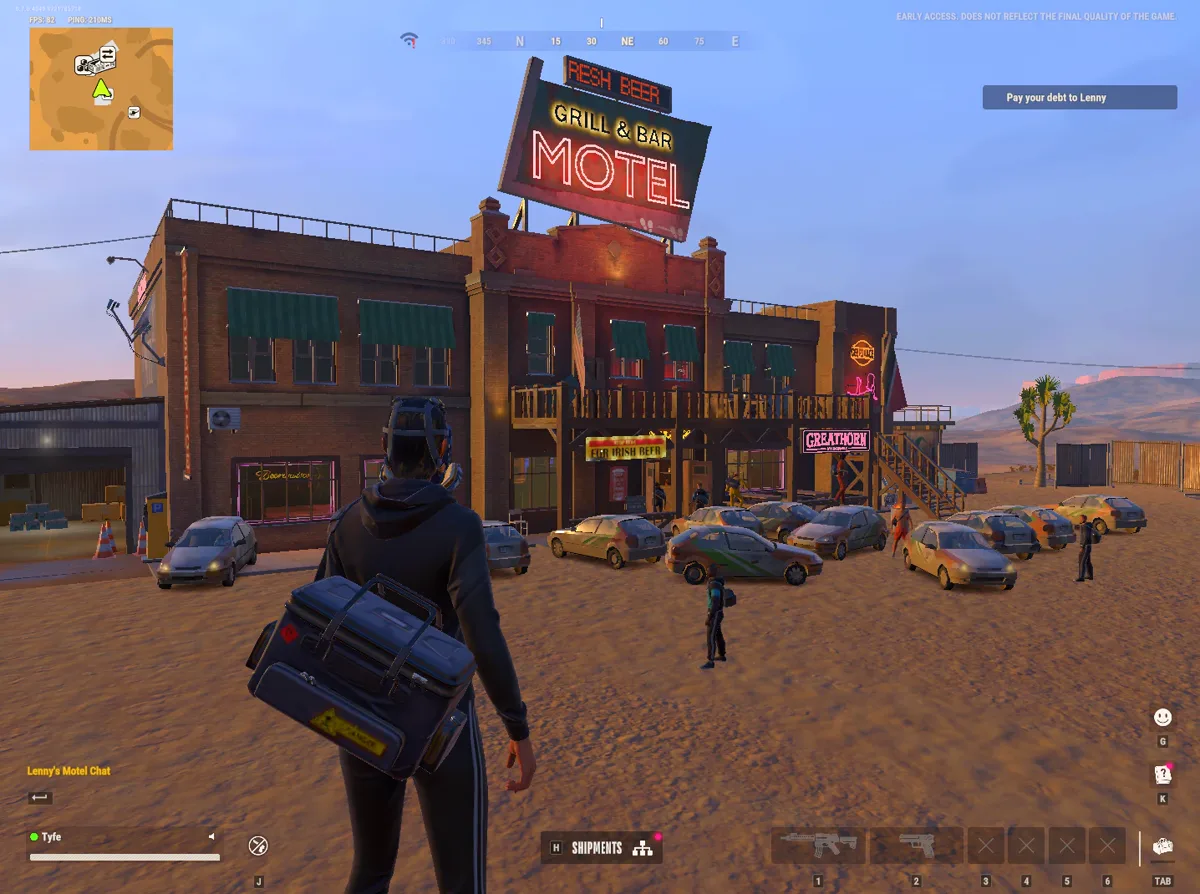
Real screenshots from Ryfe's PC, same spot in Rob Run.
- Get ZeroDragPotato mode is part of it. No extra app.
- Open the Rob Run tabPick Light, Medium or Full potato.
- Restart Rob RunDone. Switch it Off any time to put everything back.
Needs an NVIDIA graphics card. Works through your NVIDIA driver like Profile Inspector, game files never touched.
Everything that slows your games. Gone in one click.
Potato mode
Flat Rob Run textures through your NVIDIA driver: Light, Medium or Full. Cleaner picture, players stand out, more FPS. Off puts it all back.
One-click Optimize
Turns off background recording, telemetry, mouse acceleration, ads, power saving that causes stutter and more. Each tweak explains itself in plain English.
Game Boost
Starts by itself when your game opens: high CPU priority, 0.5 ms timer, background launchers closed, standby RAM freed, High performance power. All put back when you stop.
Rob Run tab
Real stretched res (1440x1080, 1280x1080 or your own) with no black bars: ZeroDrag sets up GPU full-screen scaling and creates the custom resolution on NVIDIA and AMD. Plus Ryfe's exact competitive graphics in one click.
Real FPS test
Measures average FPS and 1% lows in game with Intel PresentMon. Test before, optimize, test after. Start it in game with Ctrl+Shift+F10.
Clean
Clears temp files, crash dumps, update leftovers and shader caches, and lets you switch off apps that start with Windows.
Safe by design
A Windows restore point first, every original value saved, Undo per tweak or all at once. Laptop-unfriendly tweaks are skipped on laptops automatically.
You always know what you're turning on.
Recommended for everyone. In one-click Optimize.
Depends on your setup. The "it depends" ones stay manual.
Small gains with trade-offs, clearly explained.
Never in one-click. Plain warnings, a confirm step and a restore point.
Honest note: results depend on your PC. Most of the difference shows up as smoother frame times and fewer stutters (your 1% lows), which is why ZeroDrag lets you measure it yourself.
Pay once. Play smoother forever.
No subscription. Every update included.
The optimizer on its own.
- All 39 tweaks + Game Boost
- Rob Run tab, FPS test, cleaner
- 1 PC per key
- All future updates
ZeroDrag + ColorTuner. One key unlocks both.
- Everything in ZeroDrag
- ColorTuner lifetime: 300% saturation, per-game looks
- One key, both apps, your PC
- All future updates for both
Secure checkout by Stripe. One key works on one PC. Got a new PC? We'll move your key on Discord.
Questions, answered.
Can I undo everything?
Yes. ZeroDrag makes a Windows restore point before optimizing and saves the original value of every setting it changes. Switch any tweak back off, or press "Undo everything" in Settings.
Can ZeroDrag get me banned in Rob Run?
ZeroDrag never touches Rob Run's game folder, files or memory. It changes Windows settings, and the Rob Run tab only edits the game's own settings file in your user folder (the same thing the in-game menu saves) while the game is closed. We can't speak for any game's anti-cheat, but there's nothing inside the game for it to see.
How much FPS will I get?
It depends on your PC and what was slowing it down. PCs with lots of background apps, power saving or Xbox recording on usually see the biggest change, mostly in smoother 1% lows. Use the built-in FPS test before and after to see your own numbers.
What's the Danger zone?
Three tweaks that can add FPS but turn off Windows security features or can stop some PCs from booting. They're never part of one-click Optimize, each has a plain warning and a confirm step, and a restore point is made first.
Does it work on laptops?
Yes. ZeroDrag spots laptops and leaves battery-draining tweaks (like the Ultimate Performance plan and turning off hibernation) out of one-click. Game Boost only switches power plans while you're plugged in.
I already have ColorTuner.
Your ColorTuner key stays as it is. Get ZeroDrag on its own and both apps run side by side. The Ryfe Pack is for getting both at once with a single key.
Why does it ask for administrator?
Changing power plans, services and system-wide settings needs admin rights in Windows. When "Start with Windows" is on, ZeroDrag starts through a Windows task, so you don't get an admin pop-up every time you sign in.
Do you offer refunds?
If ZeroDrag doesn't work on your PC, message us on Discord within 7 days of buying and we'll sort it out or refund you. See the refund policy.
What do I need?
Windows 10 or 11 (64-bit). It installs like any app (Start menu, desktop icon, uninstall in Windows settings). Already bought? Download ZeroDrag.
Tweak ideas and values adapted from UnknownUtility by unknownaimer (MIT License). FPS recording by Intel PresentMon (MIT License).