Your best play. Already saved.
ClipBack records quietly while you play. Hit F10 after a good play and the last 30 seconds land in your clips, ready for TikTok. Free at 720p, and one key unlocks full quality.
Light on your PC. Fast when it counts.
One key saves the play
Press F10 and the last 15 seconds up to 10 minutes is saved. Any F-key or a mouse side button works too, with Ctrl, Shift or Alt if you like. Press Ctrl+F10 to mark a moment, then trim the clip in your gallery.
Made to be light
New in 1.2: ClipBack captures Rob Run straight from the game, the way OBS does: about 30 FPS more than ClipBack 1.0 in our test. It records with your graphics card's own encoder (NVIDIA, AMD or Intel) and your game always comes first.
Pick your sound, like OBS
Desktop sound, one app only (Rob Run without Discord, say) and your mic, each with its own volume. The mic is on from the start, on its own track for editing.
Your clips, sorted
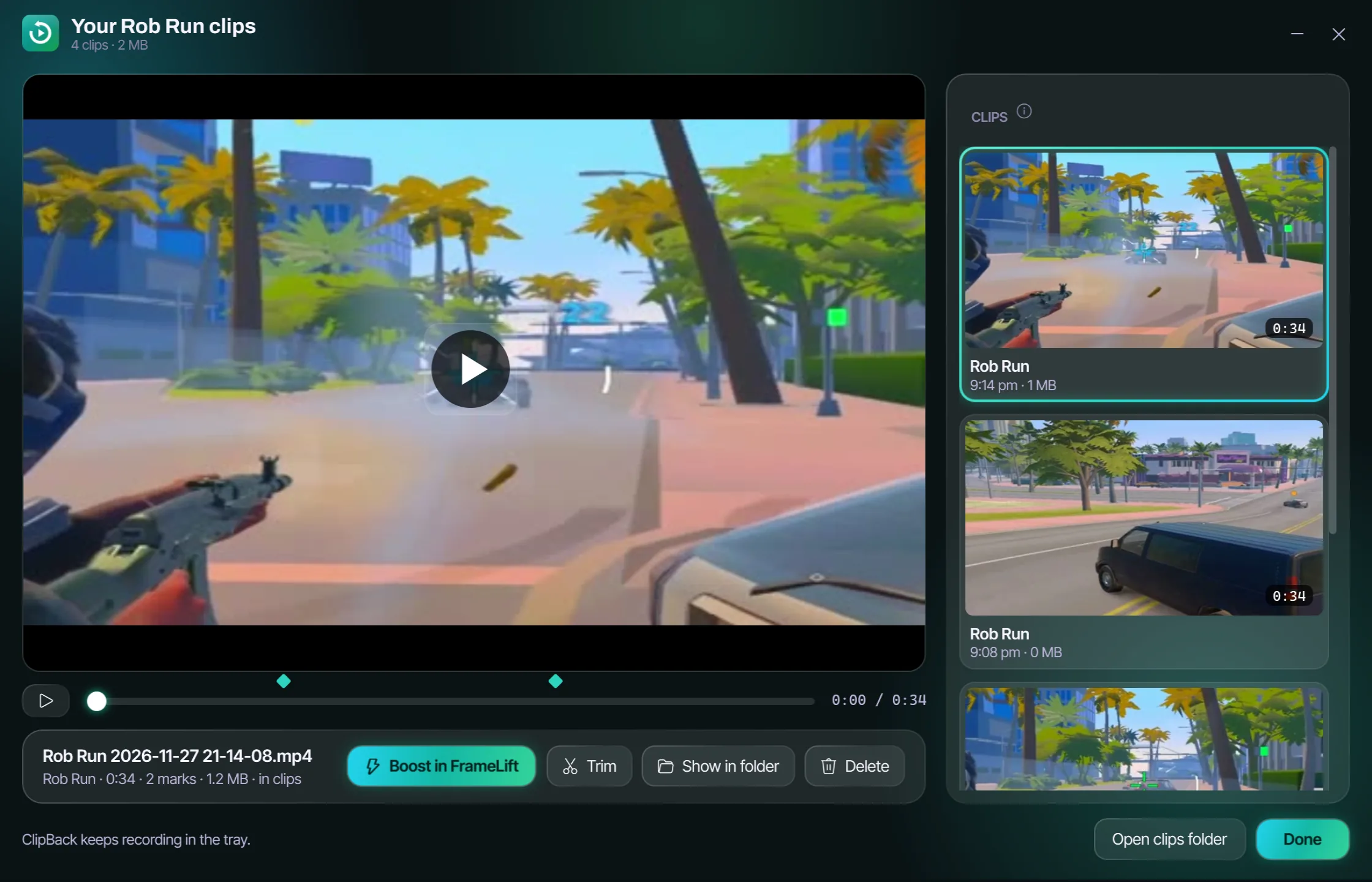
Every clip goes into Videos\ClipBack, in a folder for each game. When Rob Run closes, that session's clips pop up so you can keep, delete or share them.
Stretched res, saved right
Play stretched? With a key, clips are saved the way you see them (4:3 stretched to 16:9), or keep them native. Up to 240 FPS on screens that go that high.
Straight into FrameLift
Press Boost in FrameLift on any clip for AI upscale and smooth motion, or drag it straight into TikTok or Discord. A little pop tells you a clip saved.
- Install it, freeIt records in the tray from the moment it starts.
- Press F10 after a good playThe last 30 seconds are saved. Pick 15 s up to 10 min.
- Add a key for full qualityFull res, up to 240 FPS, no mark. Ryfe Everything keys work too.
Free forever. Sharper with a key.
| What you get | Free | With a key |
|---|---|---|
| Resolution | 720p | Your screen's full size |
| Frames per second | Up to 60 | Up to 240 |
| ClipBack mark on clips | Small mark | No mark |
| Stretched res clips | No | Yes |
| F10 save, sound choices, mic track, gallery | Yes | Yes |
| Time limit | None | None |
Pay once. Clip forever.
No subscription. Every update included.
Try it on your own games, no key, no card.
- 720p clips, up to 60 FPS
- Small ClipBack mark
- F10 save, sound choices, gallery
Full quality, no mark, yours forever.
- Your screen's full resolution
- Up to 240 FPS, stretched res
- No mark on your clips
- 1 PC per key, all future updates
ClipBack + ZeroDrag + ColorTuner + FrameLift + DeadCenter, lifetime.
- All five apps, one key
- Potato mode, 300% colours, sharp TikTok clips, custom crosshair
- All future updates for all five
Secure checkout by Stripe. One key works on one PC. Got a new PC? We'll move your key on Discord.
Questions, answered.
Is ClipBack really free?
Yes. The free version has no time limit and no account: clips are 720p, up to 60 FPS, with a small ClipBack mark. A key unlocks your screen's full resolution, up to 240 FPS, stretched res and clips with no mark. Download ClipBack.
Will it lower my FPS?
ClipBack records with your graphics card's built-in video encoder, the same part NVIDIA's and AMD's own recorders use, so your game barely feels it. Resizing and stretching only happen when a clip is saved. A PC with no hardware encoder falls back to the processor, which costs more.
Can ClipBack get me banned?
ClipBack captures your screen the same way Windows and Discord do. It never reads or changes a game's memory or files, so there's nothing inside the game for anti-cheat to see.
Where do my clips go?
Into Videos\ClipBack, in a folder for each game. You can pick another folder in Settings, and every clip is a normal MP4 you can drag into TikTok, Discord or FrameLift.
Does it record my mic?
Yes, the mic is on from the start. It's mixed into the main sound and also kept on its own track for editing. Turn it off, pick another mic or change its volume in Sources.
Can I use a different key than F10?
Yes. Pick any F-key, Insert, Home, End, Page Up or Down, a number-pad key, or a mouse side button, with Ctrl, Shift or Alt if you like.
I already have Ryfe Everything.
Then you already own ClipBack. Your Everything key unlocks it, even if you bought it before ClipBack came out: download it and paste the same key.
Do you offer refunds?
If ClipBack doesn't work on your PC, message us on Discord within 7 days of buying and we'll sort it out or refund you. See the refund policy.
What do I need?
Windows 10 or 11 (64-bit). No admin rights needed. It installs like any app (Start menu, desktop icon, uninstall in Windows settings). Already bought? Download ClipBack.
Video by FFmpeg (GPL). Game capture uses OBS Studio's game capture files, unchanged (GPL-2.0, source code). ClipBack isn't affiliated with OBS, TikTok or Rob Run.